Journal of Open Research Software 14: 17 (2026)
NØMAD: Lightweight HPC Monitoring and Diagnostics with Machine Learning-Based Failure Prediction
João Filipe Riva Tonini
Open-source monitoring and diagnostics for HPC clusters
NØMAÐ watches your clusters, interactive servers, lab workstations and storage, and turns what it sees into plain answers: for the people who run jobs, the PIs who lead labs, and the staff who keep it all running.
pip install nomad-hpc
Version 1.63.1, November 2026. Free and open source under AGPL-3.0.
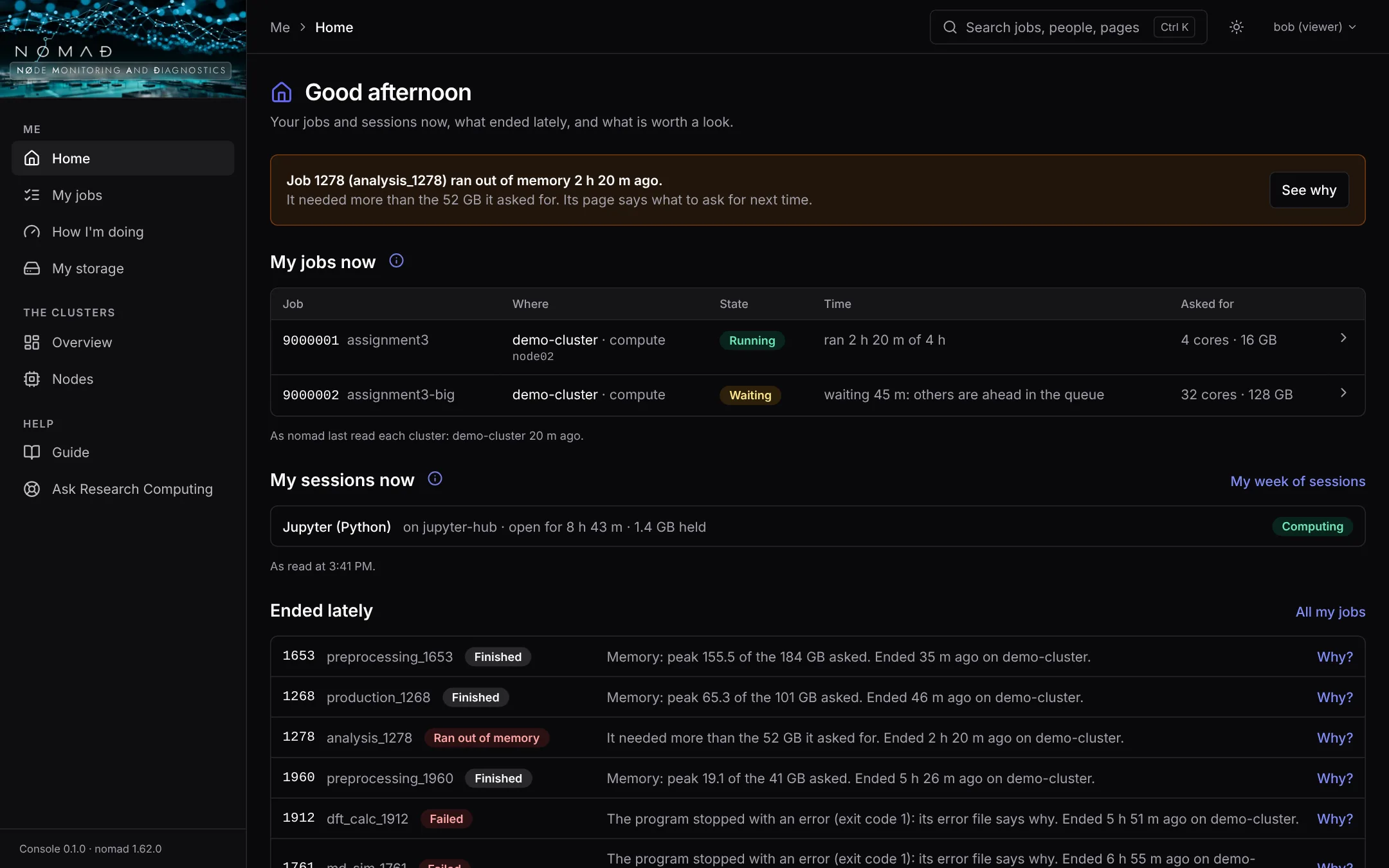
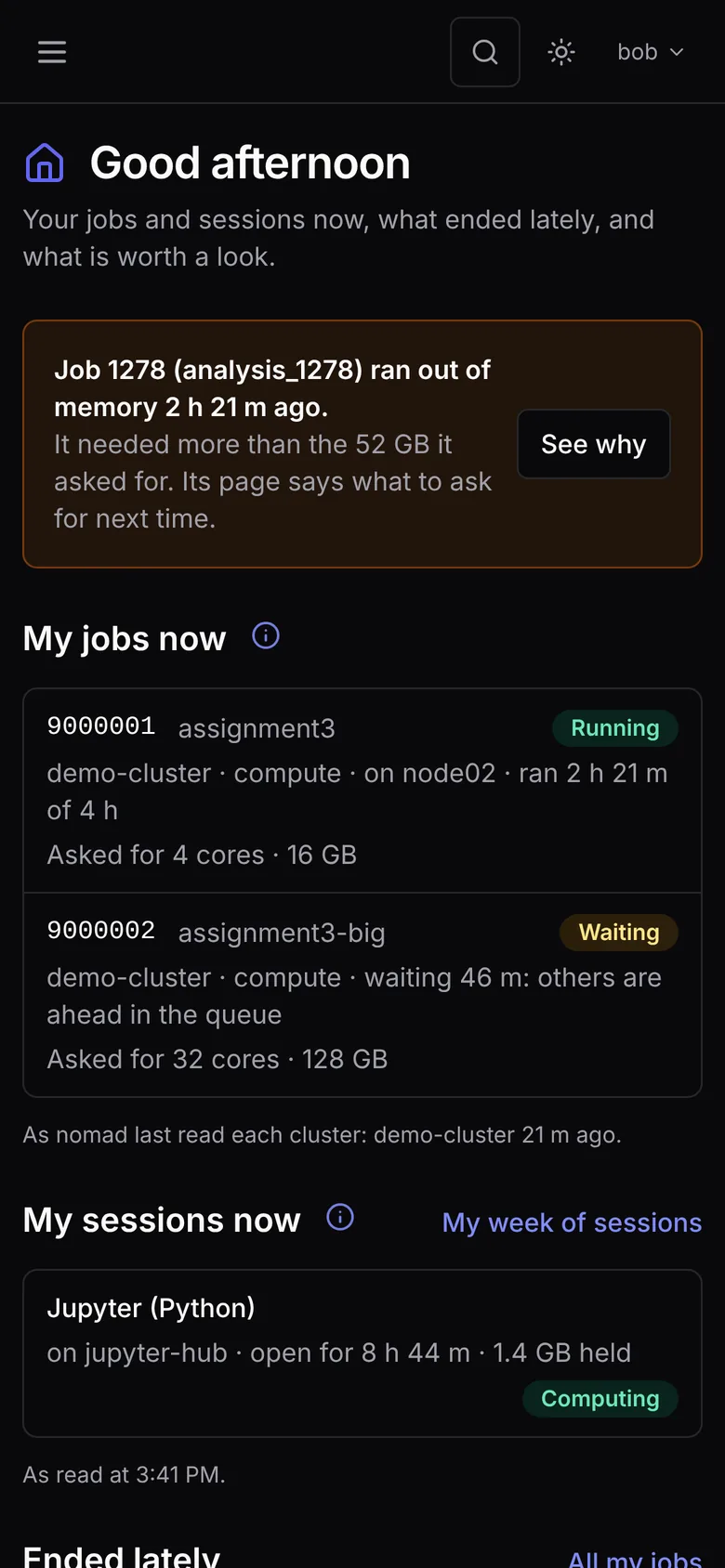
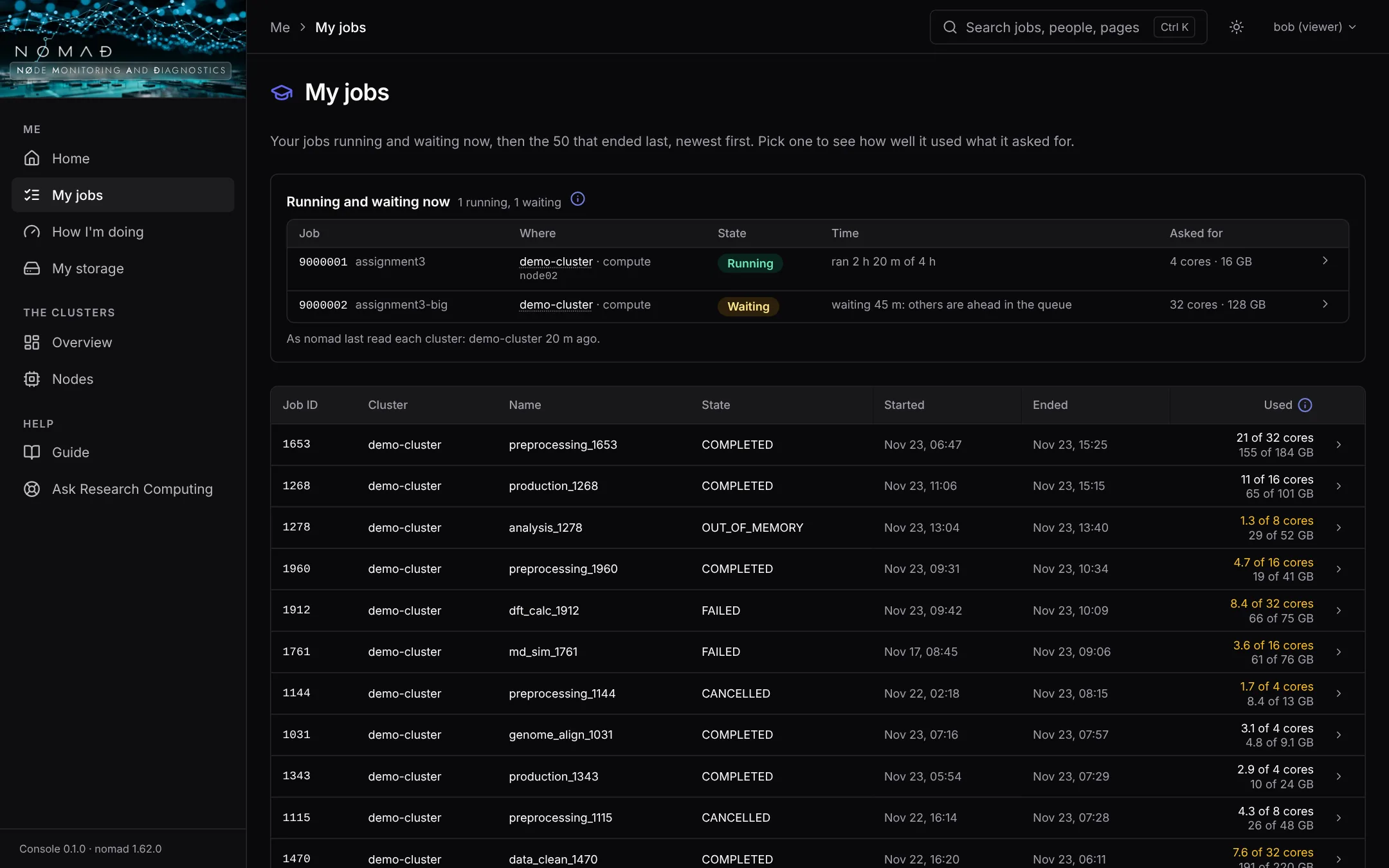
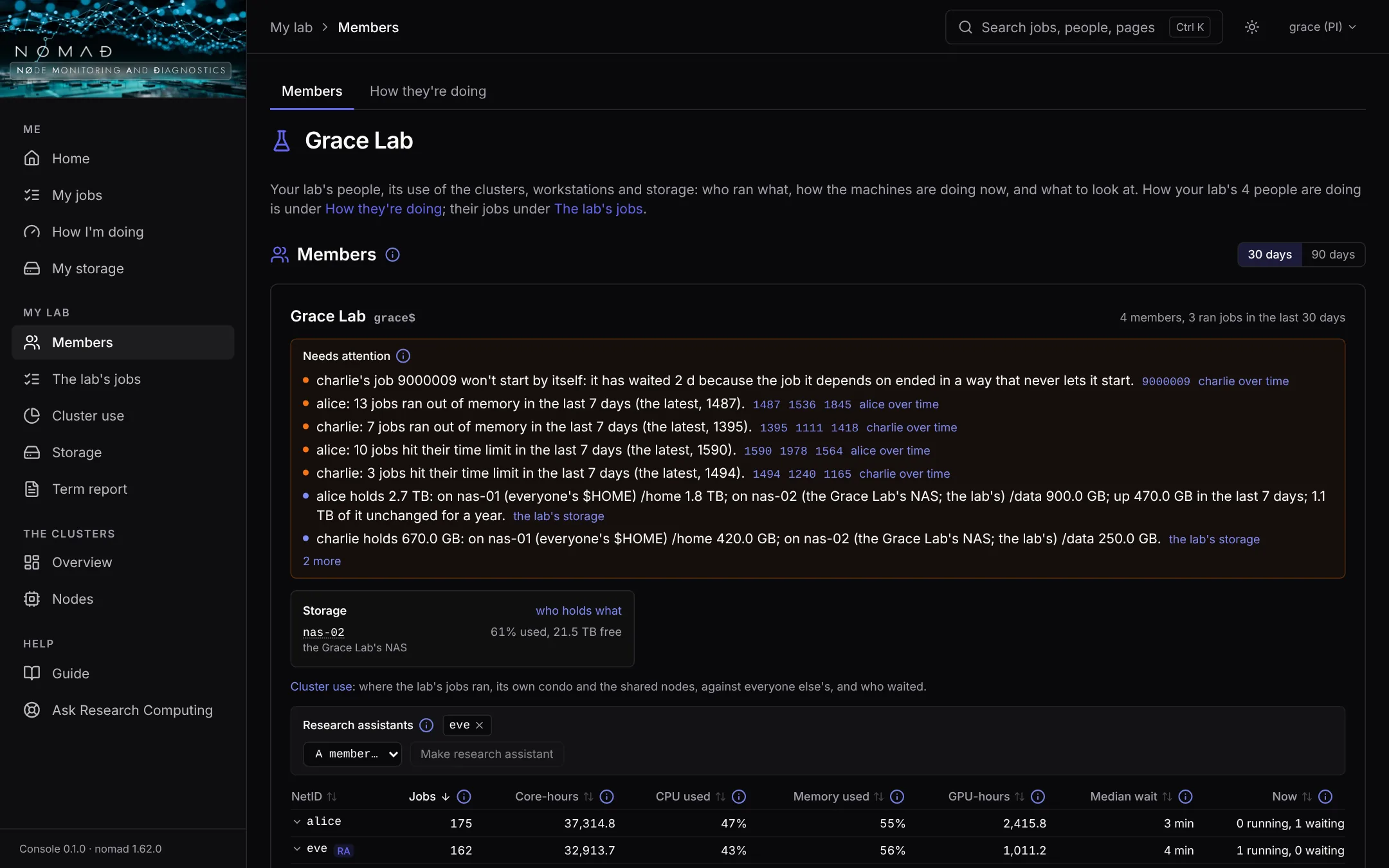
nomad demo's made-up people and cluster.Researchers, PIs, instructors and staff use the same pages. Each person sees what their role allows: their own work, their lab, their class, or every cluster.
Their own jobs and sessions, what went wrong, and what to ask for next time.
Drop files on the page to put them on a cluster, and download them back to your computer. Large files go in checked pieces and pick up where they stopped if the connection drops. Copy whole folders between machines too. Nothing extra to install, on Windows or anywhere else.
Their lab's people, jobs, storage and share of each cluster. Instructors get the same for their classes.
Every cluster, server and workstation at once, and what needs attention first.
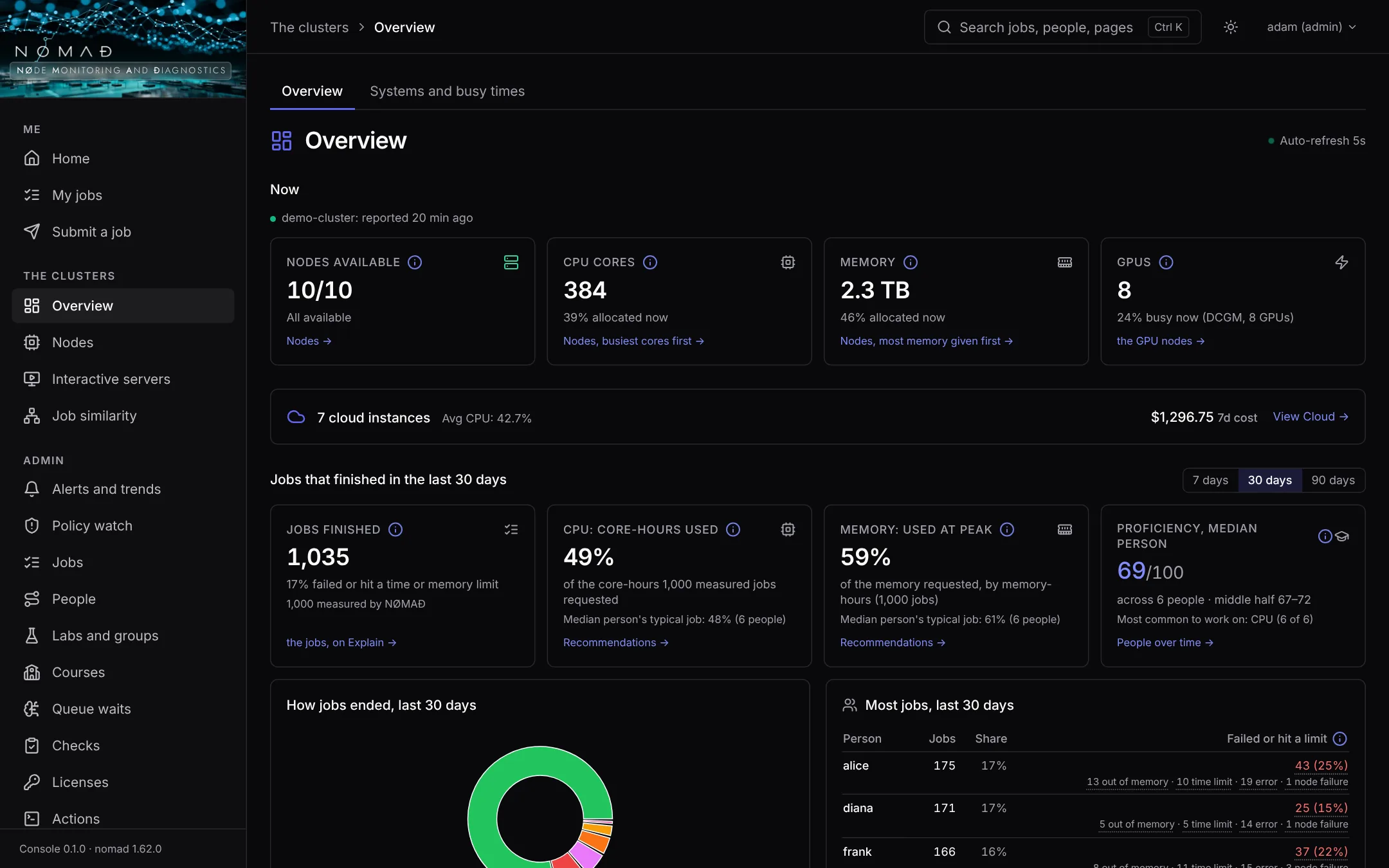
NØMAÐ compares what each job asked for with what it used, and tells the person what to change, in words a first-year student can follow.
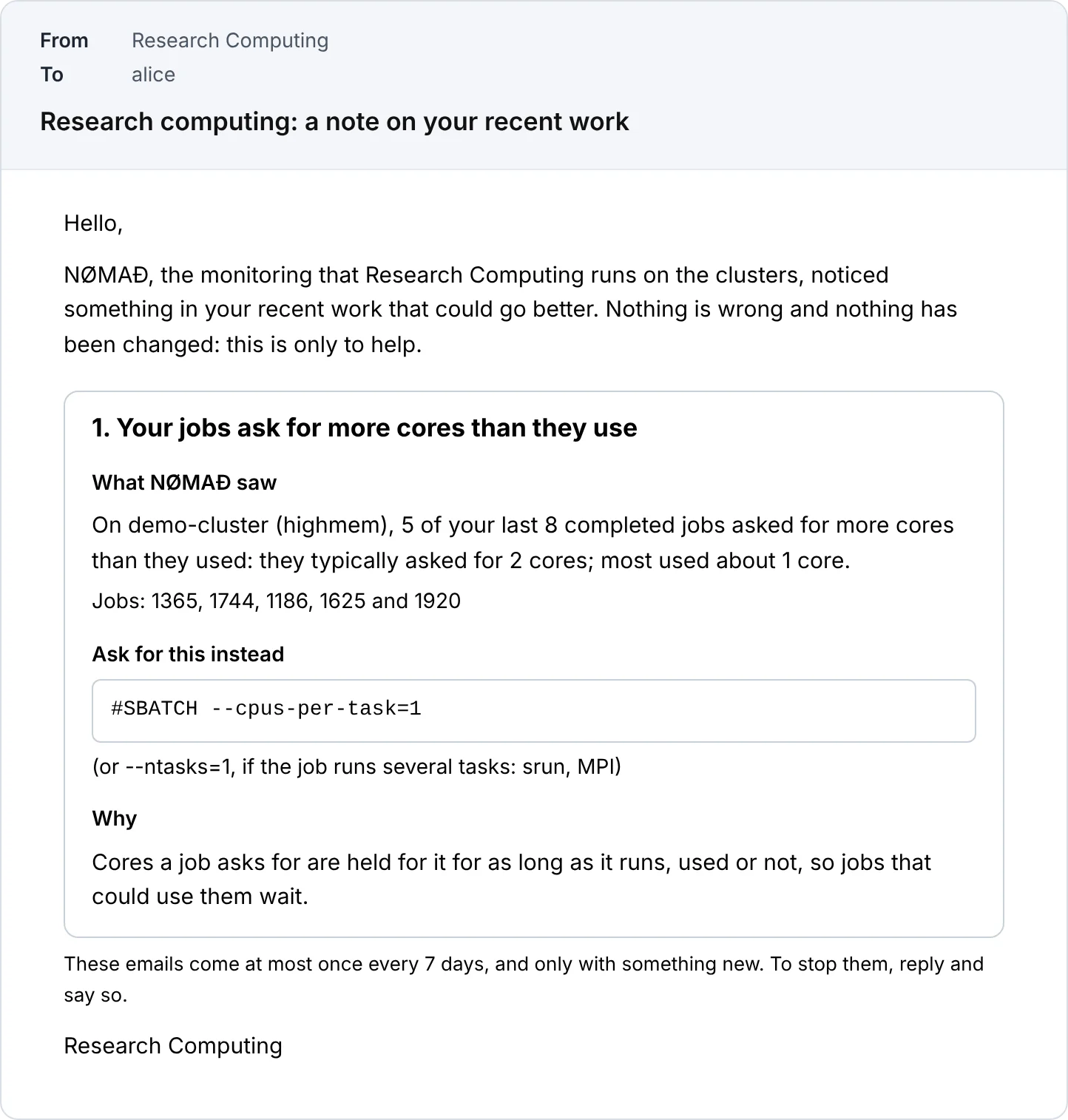
nomad notices mail.#SBATCH value to ask for instead, not a lecture about efficiency.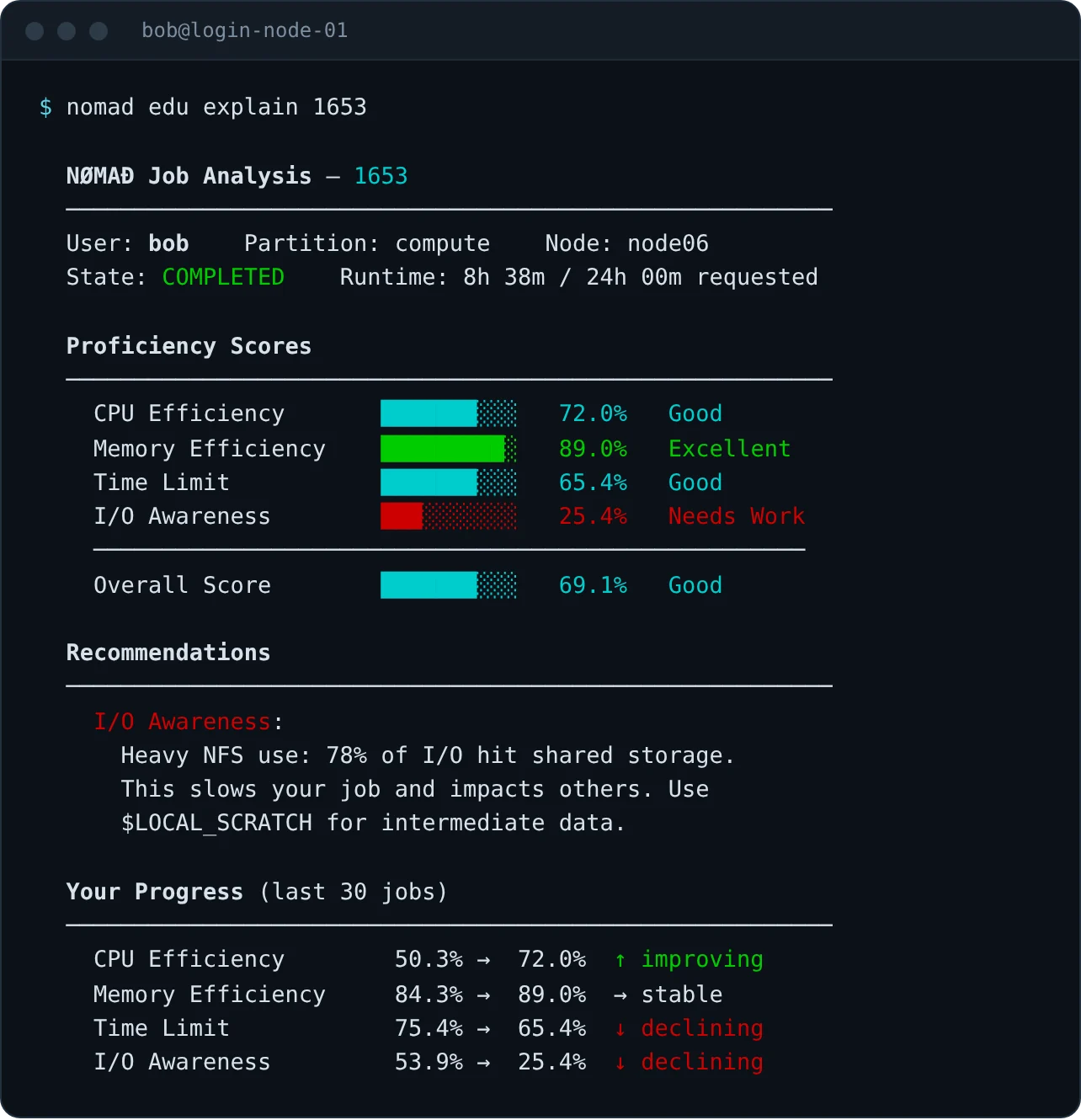
nomad edu explain JOB and nomad edu me.Each collector can be turned on or off per machine, and its thresholds live in nomad.toml, so another center can set its own.
Slurm jobs and waits, counted from when a job could start, with a job array counted once. Jobs that fail at start and jobs running past their limit. Guests on a lab's condo are told when the owners need the nodes back, and whether their job will survive a requeue.
CPU, memory and GPUs (real utilisation from DCGM), temperatures, power supplies, fans, and how fast each CPU really runs when busy. Draining and resuming a node from the Console, always as a dry run first.
RStudio and Jupyter sessions left idle or holding the most memory, with actions such as restarting a person's session. Heavy work on a login node is told to the person, with the better way.
Departmental workstations, read over ssh from one machine. Who holds what on each storage server, and data left unchanged for a year, with a ready-made note to its owner that staff can send.
Submit a job sized from past runs, see where it would start soonest, run it again or start from a template. Move files between a person's own computer and the clusters, and copy folders between machines, with nothing to install. The Console does it all as the person, through nomad-gate.
PIs confirm who is in their lab and request accounts from the Console. Term reports for each lab, monthly condo reports for owners, and a usage report for administrators.
Tunnels, proxies, miners, GPUs served to the network, AI agents driving a cluster, and job patterns such as bursts and fail-fast loops. It reads and reports; it never stops anything.
When each license ends, a reminder before it does, and a small test of whether each licensed program still runs on each machine.
Sites that stop reporting, maintenance windows declared ahead, and the size and growth of its own databases. nomad metrics serve publishes each site's latest readings for Prometheus, and a Grafana dashboard comes with it.
Pages say what period their numbers cover and how old the latest reading is. A site that goes quiet raises an alert, and something nobody measures is listed as not monitored, never shown in green.
"Running out of memory, moving data to and from disk", not "thrashing". Advice names the jobs it is about and the value to ask for.
Collectors run as ordinary accounts. When the Console acts on a cluster, it acts as the person who asked, with that person's own permissions there.
A student sees their own work, a PI their lab, an instructor their class, staff everyone. Who was shown advice is counted for staff, never named.
Python, SQLite and a TOML file. No message queue or time-series database to run.
A small center can run all three parts on one machine; a larger one spreads them out.
On each site, such as a cluster's head node, an interactive server, or a machine that reaches the lab workstations, nomad collect writes what it reads to the site's own SQLite database.
The hub runs nomad sync on a timer: it copies each site's database safely, merges them, and records which sites answered, which came from cache and which went quiet.
The Console, the emails and the reports read the hub's combined database. nomad metrics serve answers Prometheus.
NØMAÐ needs Python 3.10 or later. Slurm, sysstat and NVIDIA's tools are used where they are installed.
A synthetic cluster with jobs, nodes, alerts and storage, on your own computer.
pip install nomad-hpc
nomad demoFor the Console, nomad demo --console ~/nomad-demo makes a demo with six people to sign in as: a student, a research assistant, a PI, an instructor, an operator and an admin.
The setup wizard detects the tools on the machine and asks about the rest.
nomad init
nomad collect
nomad syncRun nomad init and nomad collect on each site, and nomad sync on the hub. The installation guide covers timers, accounts and the hub.
A FastAPI and React web application that reads the hub's database. It is free software under AGPL-3.0, like the rest of NØMAÐ.
It listens only on its own machine. People reach it through your web server, or through an SSH tunnel that nomad console launch opens for them.
NØMAÐ is peer-reviewed research software. Its optional failure prediction trains TESSERA, a similarity-network classifier, and reports it beside a simple rule so you can see whether it earns its place.
Journal of Open Research Software 14: 17 (2026)
João Filipe Riva Tonini
@article{tonini2026nomad,
  author  = {Tonini, Jo{\~a}o Filipe Riva},
  title   = {{N{\O}MAD}: Lightweight {HPC} Monitoring and Diagnostics
             with Machine Learning-Based Failure Prediction},
  journal = {Journal of Open Research Software},
  volume  = {14},
  pages   = {17},
  year    = {2026},
  doi     = {10.5334/jors.686}
}